How pocket photo printers work
Three completely different technologies are sold under the same heading. Knowing which is which tells you the price, the print quality and the durability before you read a single review.
Pocket photo printers work in one of three ways. ZINK heats paper that already contains the dye, so there is no ink. Dye-sublimation transfers color from a ribbon in several passes then seals it with a laminate. instax printers expose real instant film with an LED array.
How this page is funded. Shake & Print earns a commission when you buy through our links, at no extra cost to you. It does not change which products we pick or the order we rank them in, and we do not state prices we have not verified — the buy buttons send you to the current listing instead. Full disclosure.
1. ZINK — zero ink
ZINK paper has three layers of dye crystals embedded in it, each of which turns a different color when heated to a specific temperature for a specific duration. Before printing the crystals are colorless, so the paper looks like blank glossy stock.
The printer has no ink, no ribbon and no cartridge. It has a thermal head that applies precisely controlled heat pulses, and the image forms inside the paper. The print emerges dry and finished, usually with a peel-off adhesive backing.
- Pros: cheapest hardware, nothing to replace but paper, peel-and-stick, instant and dry.
- Cons: narrowest color range of the three, least fade-resistant, and the characteristic slightly flat look.
- Cost: about 60 cents a print — Canon's 2 x 3 ZINK paper was $11.99 for 20 sheets.
- Found in: Canon IVY 2 Mini, HP Sprocket, and most budget pocket printers.
2. Dye sublimation — the quality option
A dye-sublimation printer holds a ribbon carrying panels of dye. Heat turns the dye directly from solid to gas, which penetrates the paper's surface and solidifies there — so the color is in the coating rather than sitting on top of it.
Kodak calls its version 4PASS: three passes for yellow, magenta and cyan, then a fourth pass that lays down a clear laminate. That fourth pass is why these prints come out dry, do not smudge, and resist water and handling. Canon's SELPHY applies a comparable protective overcoat and claims up to 100 years of fade resistance.
- Pros: best color accuracy, most durable print, water resistant, and the cheapest per print.
- Cons: needs an all-in-one cartridge, and the printer costs more.
- Cost: from about 39 cents (Canon 4 x 6) and 42 cents (Kodak 4PASS) to about 85 cents (Polaroid Hi-Print).
- Found in: Kodak Mini and Mini Shot series, Canon SELPHY, Polaroid Hi-Print.
3. Instant film — a camera without a lens
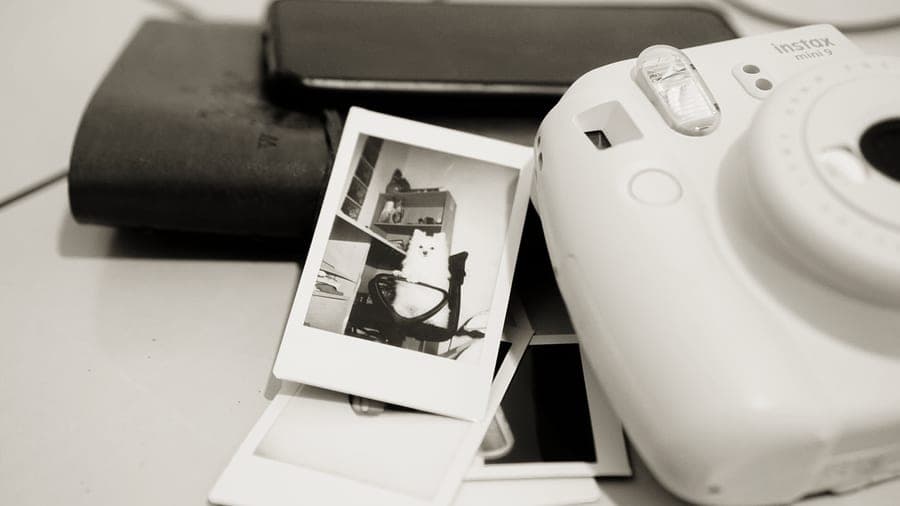
An instax printer is essentially an instax camera with an LED array where the lens would be. It exposes a sheet of real instax film line by line with red, green and blue light, then ejects it through the same rollers that burst the chemical pod. The print develops in your hand over about ninety seconds, exactly as it would from a camera.
So the print is not an imitation of an instant photograph — it is one, with the same white border, the same rendering and the same behavior over time.
- Pros: a genuine instant-film print, film available in supermarkets, and the look nothing else reproduces.
- Cons: most expensive per print, fades in direct sunlight, and the smallest print per dollar.
- Cost: about 85 cents (instax mini) to $1.10 (instax WIDE) a shot.
- Found in: instax mini Link 3, instax Link WIDE 2, and the instax mini Evo's print function.
All three, compared
| ZINK | Dye sublimation | Instant film | |
|---|---|---|---|
| Consumable | Paper only | All-in-one cartridge | Film |
| Cost per print | About $0.60 | $0.39 to $0.85 | $0.85 to $1.10 |
| Color accuracy | Weakest | Best | Characteristic |
| Fade resistance | Low | High — laminate | Low |
| Water resistance | Low | Yes | No |
| Peel-and-stick | Yes | No (QX20 is sticky-backed) | No |
| Print emerges | Dry and finished | Dry and sealed | Develops over ~90 sec |
| Hardware cost | Lowest | Higher | Mid |
| Media in supermarkets | No | No | Yes (instax mini) |
Every verified cost, in one place
| Format | Print size | Pack | Pack price | Cost per shot | Checked at |
|---|---|---|---|---|---|
| Canon SELPHY 4 x 6 (KP-108IN) | 4 x 6 in | 108 | $41.99 | $0.39 | Pro Photo Supply |
| Kodak 4PASS 4 x 6 | 4 x 6 in | 80 | $31.99 | $0.40 | Kodak Photo Printer store |
| Kodak 4PASS 3 x 3 | 3 x 3 in | 60 | $24.99 | $0.42 | Kodak Photo Printer store |
| Kodak 4PASS 2.1 x 3.4 | 2.1 x 3.4 in | 60 | $24.99 | $0.42 | Kodak Photo Printer store |
| ZINK 2 x 3 | 2 x 3 in | 20 | $11.99 | $0.60 | ProCam |
| Canon SELPHY Square (XS-20L) | 2.7 x 2.7 in | 20 | $16.00 | $0.80 | ProCam |
| Polaroid Hi-Print 2 x 3 | 2 x 3 in | 20 | $16.99 | $0.85 | Polaroid |
| instax mini | 2.4 x 1.8 in (62 x 46 mm) | 20 | $16.99 | $0.85 | Pro Photo Supply |
| instax WIDE | 3.9 x 2.4 in (99 x 62 mm) | 20 | $21.99 | $1.10 | Pro Photo Supply |
Which technology to choose
- Best print, lowest cost: dye-sublimation. It wins on both, which is unusual.
- Stickers: ZINK. The only one that peels off.
- The instant-film look: instax. The only one that actually is instant film.
- Prints going on a sunny wall: dye-sublimation, for the laminate layer.
- Media you can buy in a supermarket at 9pm: instax mini film, and nothing else here.
1. Best dye-sublimation pick
Kodak Mini 2 Retro
Four passes plus a laminate seal, at about 42 cents a print.
- Buy it for
- Anyone who wants the most durable, most accurate print for the least money.
- Skip it if
- Anyone who wants stickers or the instant-film look.
- 4PASS: three color passes plus a clear laminate, which is why the print is dry and smudge-proof.
- About 42 cents a print at 291 x 300 dpi.
- All-in-one cartridge, so ribbon and paper run out together.
Running cost: Kodak 4PASS 2.1 x 3.4 works out at $0.42 a shot, so a hundred photographs in the first year puts the real total at about $139.97 including the camera. See every format’s cost.
How it scores8.7/10 overall
- Print durability9
- Color accuracy8
- Cost per print10
Our editorial scoring, built from published specifications and reviews by outlets that test hardware — see how we pick. We have not handled these products, so these are not test results.
#ad · we earn a commission at no extra cost to you
2. Best ZINK pick
Canon IVY 2 Mini
No ink at all — the color is in the paper, and the print peels off as a sticker.
- Buy it for
- Anyone who wants stickers and the smallest possible printer.
- Skip it if
- Color-critical work, or prints going somewhere sunny.
- Nothing to replace but paper, because there is no cartridge at all.
- About 60 cents a print, about 50 seconds each.
- 314 x 500 dpi on peel-and-stick 2 x 3 paper.
Running cost: ZINK 2 x 3 works out at $0.60 a shot, so a hundred photographs in the first year puts the real total at about $189.94 including the camera. See every format’s cost.
How it scores7.6/10 overall
- Print durability5
- Color accuracy5
- Cost per print8
Our editorial scoring, built from published specifications and reviews by outlets that test hardware — see how we pick. We have not handled these products, so these are not test results.
Digital Camera World, which publishes hands-on reviews, calls it “working out at around 60c per print”.
#ad · we earn a commission at no extra cost to you
3. Best instant-film pick
Fujifilm instax mini Link 3
An LED array exposes real instax film, exactly as light does in a camera.
- Buy it for
- Anyone who wants a genuine instant print from a phone.
- Skip it if
- Volume printing at 85 cents a shot.
- Real instax mini film at 318 dpi, developing in about 90 seconds after a 15-second print cycle.
- The only technology here that produces an actual instant-film print.
- Film available in supermarkets, unlike every cartridge-based system.
Running cost: instax mini works out at $0.85 a shot, so a hundred photographs in the first year puts the real total at about $201.94 including the camera. See every format’s cost.
How it scores8.0/10 overall
- Print durability5
- Color accuracy7
- Cost per print6
Our editorial scoring, built from published specifications and reviews by outlets that test hardware — see how we pick. We have not handled these products, so these are not test results.
#ad · we earn a commission at no extra cost to you
Questions people ask
How do pocket photo printers work?
Three ways. ZINK printers heat paper that already contains colorless dye crystals, so there is no ink. Dye-sublimation printers turn dye from a ribbon into gas that penetrates the paper, then seal it with a clear laminate. instax printers expose real instant film with an LED array, just as a camera does with light.
What is ZINK paper?
Paper with three layers of dye crystals embedded in it that are colorless until heated to specific temperatures. The printer applies controlled heat and the image forms inside the paper, so there is no ink or cartridge — only paper, which is usually sticky-backed.
What does 4PASS mean?
Kodak's dye-sublimation process: three passes laying down yellow, magenta and cyan, then a fourth pass applying a clear laminate layer. The fourth pass is why the prints come out dry, do not smudge, and resist water and fading better than instant film or ZINK.
Which print technology lasts longest?
Dye-sublimation, because of the protective laminate or overcoat applied over the image — Canon claims up to 100 years of fade resistance for SELPHY prints, and they are water resistant straight out of the printer. ZINK and instant film both fade considerably faster, especially in direct sunlight.
Do instax printers use real instant film?
Yes. An instax printer exposes exactly the same instax film an instax camera uses, with an LED array instead of a lens, and the print develops over about ninety seconds in the normal way. That is the key difference from every dye-sublimation or ZINK printer.
Read these next
ZINK vs instax
The two most common technologies, head to head.
Best pocket photo printers
The picks across all three technologies.

What ZINK paper costs per print
The verified figure, with its source.
Are portable photo printers worth it?
The volume at which they pay for themselves.
Every format compared on cost
Film and printer media in one table.
Sources
- ProCam — Canon 2x3 ZINK paper, 20 sheets — $11.99 on 13 October 2026 — the basis of the 60c-per-print figure
- Canon USA newsroom — IVY 2 Mini announcement — Specifications and $129.99 estimated retail price at announcement
- Kodak — 4PASS cartridges — $24.99 for 60 prints (2.1x3.4 and 3x3), $31.99 for 80 prints (4x6), 13 October 2026
- Kodak Mini 2 Retro printer — Specifications and bundle pricing, 13 October 2026
- Pro Photo Supply — Canon SELPHY CP1500 — $179.99 listed, 13 October 2026
- Pro Photo Supply — Canon SELPHY KP-108IN set — $41.99 for 108 prints at 4 x 6 in, 13 October 2026
- ProCam — Canon SELPHY XS-20L ink and label set — $16.00 for 20 prints at 2.7 x 2.7 in, 13 October 2026
- ProCam — Canon SELPHY QX20 — Specifications and $189.00 listed price, 13 October 2026
- Polaroid — Hi-Print 2x3 range — Printer $109.99, 20-sheet paper cartridge $16.99, 13 October 2026
- Fujifilm instax mini Link 3 specifications — Manufacturer specification page, 13 October 2026
- Fujifilm instax Link WIDE 2 specifications — Manufacturer specification page, 13 October 2026. Replaces the gen-1 Link Wide
- Pro Photo Supply — instax mini film, 20 exposures — $16.99 on 13 October 2026
- Pro Photo Supply — instax WIDE film, 20 exposures — $21.99 on 13 October 2026
Found something out of date or wrong? Tell us and we will correct it with a dated note. Our picks are re-checked quarterly — see our editorial policy.