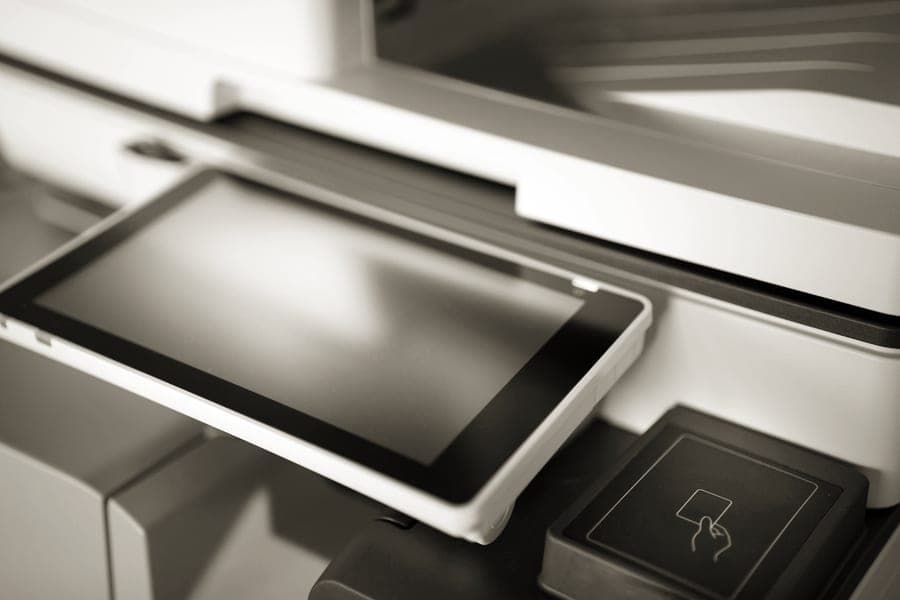
Best pocket printer
The best pocket photo printers for 2026
Five pocket printers ranked by cost per print, with the print technology that decides both price and feel.
Top pick: Kodak Mini 2 Retro
Check priceIf the photos are already on a phone, a printer beats a camera — and costs less per picture. Here is which one, for which kind of print, at which running cost.
The cheapest way to print phone photos at home is a dye-sublimation printer: a Canon SELPHY 4 x 6 print works out at about 39 cents and a Kodak 4PASS print at about 42 cents. ZINK printers like the Canon IVY 2 Mini cost about 60 cents a print but make peel-and-stick photos.
How this page is funded. Shake & Print earns a commission when you buy through our links, at no extra cost to you. It does not change which products we pick or the order we rank them in, and we do not state prices we have not verified — the buy buttons send you to the current listing instead. Full disclosure.
The cheapest running cost of any pocket printer we verified — about 42 cents a print — on dry, laminated paper that does not smudge, and bundles usually include film.
#ad · we earn a commission at no extra cost to you
A pocket photo printer solves a problem most people actually have: thousands of photographs that exist only on a phone, and nothing on the walls. It takes the pictures that are already there and makes them physical, which is the part an instant camera cannot do.
It is also the cheaper half of this category, and that surprises people. Instant film starts at about 85 cents a shot. Printer media starts at about 39 cents. If the goal is a lot of prints rather than the theater of a camera ejecting one, a printer is both the better and the more affordable tool.
The trade-off is immediacy of a different kind. There is no moment — nobody watches a print develop in their hand at a party. What you get instead is choice: you print the good photograph, not the one that happened when the shutter fired.
Best pocket printer
Five pocket printers ranked by cost per print, with the print technology that decides both price and feel.
Top pick: Kodak Mini 2 Retro
Check price
Best for iPhone
Four printers that work with an iPhone, with how each one connects and what each print costs.
Top pick: Kodak Mini 2 Retro
Check price
Best for Android
Four printers for Android phones, including the one whose USB-C connection is a genuine advantage.
Top pick: Kodak Mini 2 Retro
Check price
Best under $100
Three printers under $100, ranked by total cost of ownership rather than sticker price.
Top pick: Kodak Mini 2 Retro
Check price
Technology choice
The two most common pocket-print technologies compared on cost, color, durability and what the print physically is.
Top pick: Canon IVY 2 Mini
Check priceInstax vs Hi-Print
Two pocket printers at the same cost per print, with the Polaroid branding confusion explained.
Top pick: Fujifilm instax mini Link 3
Check price2 x 3 inches is the sticker size: fine for a laptop lid or a locker door, small for anything framed. 2.1 x 3.4 is credit-card size and the most useful small format. 3 x 3 is a square you can actually look at. 4 x 6 is a real photograph, the size that goes in a standard frame or a shoebox album — and it is also, per print, the cheapest.
Genuinely pocketable printers — the instax mini Link 3 at 210 g, the Kodak Mini 2 Retro at 255 g — exist to be carried to things. A desktop unit like the Canon SELPHY CP1500 will never leave the house, but prints bigger and cheaper. If the gift is for someone who will print at the kitchen table, portability is costing you money for nothing.
Every one of these depends on a phone app to send the photo, and the app is where the frustration lives. For a recipient who is not comfortable pairing Bluetooth devices, a dock printer you plug the phone into directly removes the whole problem — which is why a dock is usually the right answer for a grandparent.
The camera is the deposit; the film is the purchase. Every figure below was checked against a live retail listing and links to the listing it came from.
| Format | Print size | Pack | Pack price | Cost per shot | Checked at |
|---|---|---|---|---|---|
| Canon SELPHY 4 x 6 (KP-108IN) | 4 x 6 in | 108 | $41.99 | $0.39 | Pro Photo Supply |
| Kodak 4PASS 4 x 6 | 4 x 6 in | 80 | $31.99 | $0.40 | Kodak Photo Printer store |
| Kodak 4PASS 2.1 x 3.4 | 2.1 x 3.4 in | 60 | $24.99 | $0.42 | Kodak Photo Printer store |
| ZINK 2 x 3 | 2 x 3 in | 20 | $11.99 | $0.60 | ProCam |
| Canon SELPHY Square (XS-20L) | 2.7 x 2.7 in | 20 | $16.00 | $0.80 | ProCam |
| Polaroid Hi-Print 2 x 3 | 2 x 3 in | 20 | $16.99 | $0.85 | Polaroid |
| instax mini | 2.4 x 1.8 in (62 x 46 mm) | 20 | $16.99 | $0.85 | Pro Photo Supply |
Yes if you will print regularly, because the per-print cost is lower than instant film — about 39 to 60 cents against 85 cents and up. They are not worth it for occasional use: a handful of prints a year costs less at a drugstore kiosk or an online print service than the printer does.
Three ways. ZINK printers heat special paper that already contains the dye, so there is no ink. Dye-sublimation printers transfer color from a ribbon in several passes and then seal it with a clear laminate. instax printers expose real instant film with an LED array, exactly as an instax camera does with light.
Of the ones we verified in October 2026, the Canon SELPHY using a KP-108IN set is cheapest per picture at about 39 cents for a 4 x 6 print, with Kodak 4PASS close behind at about 40 to 42 cents. ZINK 2 x 3 paper comes out around 60 cents and instax mini film about 85 cents.
Yes — every printer on this page connects to an iPhone, almost all over Bluetooth through the manufacturer's own app. The Kodak Mini Shot models also ship with a Lightning adapter for a direct cable connection, and the Canon SELPHY CP1500 uses Wi-Fi rather than Bluetooth.
Dye-sublimation prints are the most durable because of the laminate pass — Canon claims up to 100 years of fade resistance for SELPHY prints, and they are water resistant straight out of the printer. ZINK prints are less fade-resistant. Instant film prints fade noticeably in direct sunlight, which is why UV-protective frames exist.