The best dye-sublimation photo printers
Dye sublimation lays color from a ribbon and finishes with a clear pass, so the print leaves the machine sealed rather than tacky. It is also, print for print, the cheapest way to own photographs.
The best dye-sublimation photo printer is the Canon SELPHY CP1500: a 4 x 6 inch print for about 39 cents, instantly dry and water resistant. The budget pick is the Kodak Mini 2 Retro at about 42 cents a print, in a body you can carry.
How this page is funded. Shake & Print earns a commission when you buy through our links, at no extra cost to you. It does not change which products we pick or the order we rank them in. Prices on the buy buttons come from Amazon and carry the date they were read; where we have no current price the button shows no figure. Full disclosure.
| # | Product | Best for | Cost per shot | Price |
|---|---|---|---|---|
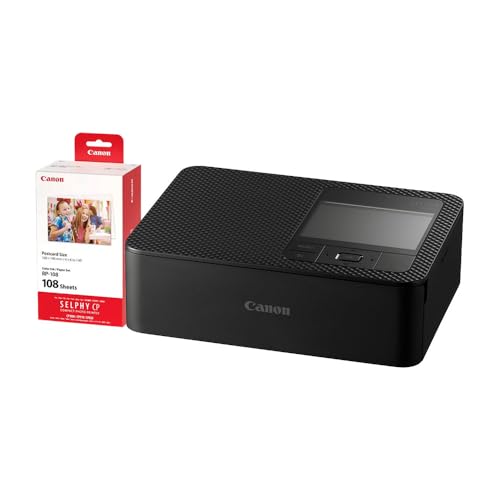
| 1 | Canon SELPHY CP1500A real 4 x 6 inch photograph for about 39 cents, instantly dry and water resistant. The cheapest physical photo on this site. | Best dye-sublimation printer overall | $0.39 | $165.30 · View on Amazon |
| 2 | 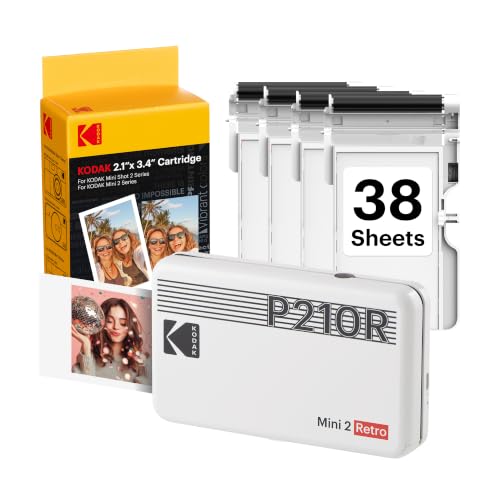 Kodak Mini 2 Retro4PASS dye sublimation with a laminate pass at about 42 cents a print, from a 255 g body that runs on its own battery. | Budget pick — cheapest dye-sub you can carry | $0.42 | $67.99 · View on Amazon |
| 3 | 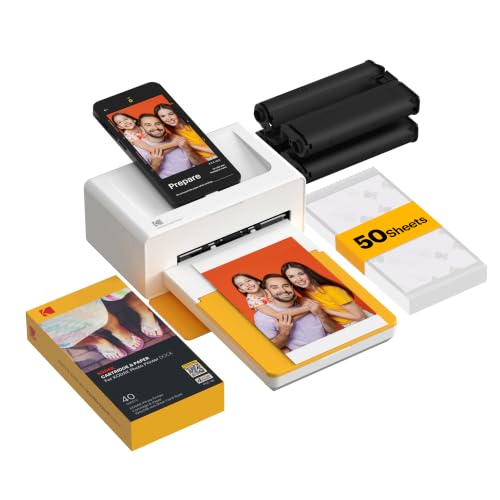 Kodak Dock Plus RetroA 4 x 6 dock printer at about 40 cents a print, where the phone physically plugs in instead of pairing. | Best dye-sub for someone who hates apps | $0.40 | $159.99 · View on Amazon |
| 4 | 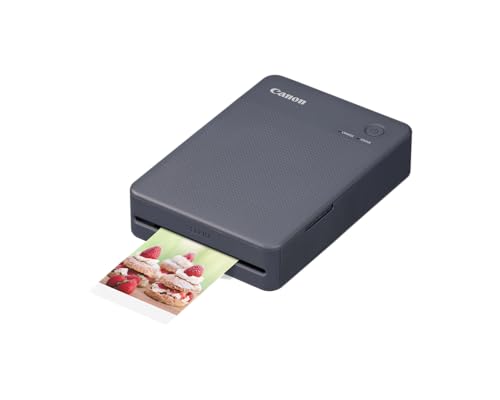 Canon SELPHY QX20287 dpi and 256 shades per color with a protective overcoat, on a square sticker that survives handling. | Best dye-sub square, and the best finish | $0.80 | Check price on Amazon |
| 5 | 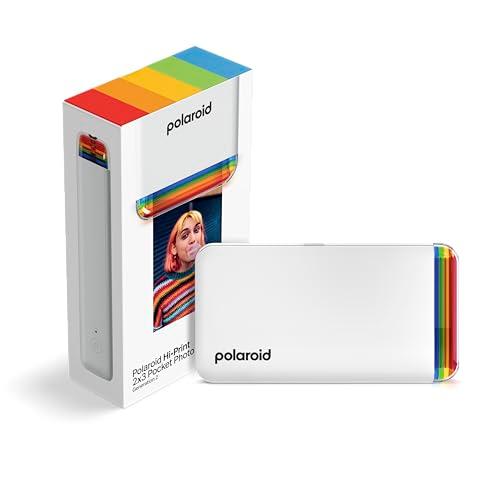 Polaroid Hi-Print 2x3 Generation 2Dye-sublimation 2 x 3 prints at about 85 cents — expensive for the class, and a quarter of what Polaroid film costs. | Best dye-sub from the Polaroid app | $0.85 | $89.99 · View on Amazon |
Prices as of November 28, 2026 and may change.
Dye sublimation is the printing technology behind almost every print on this site that is not instant film. The machine passes the paper under a ribbon several times, laying down one color at a time, and then makes a final pass with a clear laminate. That last pass is the whole reason to care: the print comes out of the machine already dry, sealed and water resistant, so it can be handled, written on and stuck in an album the moment it appears.
The alternative in this size class is ZINK, which uses no ink or ribbon at all — the color sits in heat-sensitive layers inside the paper. ZINK makes the hardware smaller and cheaper, and it gives up color accuracy and the protective layer. If you have already read ZINK vs instax or how pocket photo printers work and decided you want the sealed print, this page is the next step: the dye-sub machines ranked against each other.
What a dye-sub print costs, by size
| Format | Print size | Pack | Pack price | Cost per shot | Checked at |
|---|---|---|---|---|---|
| Canon SELPHY 4 x 6 (KP-108IN) | 4 x 6 in | 108 | $41.99 | $0.39 | Pro Photo Supply |
| Kodak 4PASS 4 x 6 | 4 x 6 in | 80 | $31.99 | $0.40 | Kodak Photo Printer store |
| Kodak 4PASS 3 x 3 | 3 x 3 in | 60 | $24.99 | $0.42 | Kodak Photo Printer store |
| Kodak 4PASS 2.1 x 3.4 | 2.1 x 3.4 in | 60 | $24.99 | $0.42 | Kodak Photo Printer store |
| Canon SELPHY Square (XS-20L) | 2.7 x 2.7 in | 20 | $16.00 | $0.80 | ProCam |
| Polaroid Hi-Print 2 x 3 | 2 x 3 in | 20 | $16.99 | $0.85 | Polaroid |
The spread is the important part. Dye sublimation is not automatically cheap: Kodak's 4PASS and Canon's 4 x 6 sets are the two cheapest print systems on this entire site, and Canon's square media and Polaroid's Hi-Print paper are roughly twice the price for a much smaller picture. So "buy dye-sub" is good advice about finish and bad advice about cost unless you also check which media the machine takes.
What the sealed finish actually buys you
- It survives handling on day one. A ZINK print marks under a fingernail; a dye-sub print does not. At a party where prints get passed around, that is the difference you notice first.
- It takes a pen. A sealed surface accepts a marker without smearing, which matters for a guest book or a scrapbook caption.
- It resists water. Canon describes SELPHY prints as instantly dry and water resistant — a spilled drink is survivable rather than fatal.
- It does not need a sleeve immediately. A sealed print can live on a fridge door or in a wallet without an album in between.
- Longevity claims are the manufacturer's, not ours. Canon's marketing quotes up to 100 years for an overcoated print; that is Canon's figure, it depends entirely on storage, and we have not verified it.
The five dye-sublimation printers worth buying
Ranked for most buyers first, with the budget pick named rather than buried. Every entry says who should not buy it.
1. Best dye-sublimation printer overall
Canon SELPHY CP1500
A real 4 x 6 inch photograph for about 39 cents, instantly dry and water resistant. The cheapest physical photo on this site.
- Buy it for
- Anyone printing photographs for frames, albums or envelopes, who has a shelf to put a small machine on.
- Skip it if
- A bag or a party. It is a compact desktop unit that expects mains power, with the battery pack sold separately.
- **About 39 cents a 4 x 6 inch print** from a $41.99 KP-108IN set of 108 — the lowest cost per photograph anywhere on this site.
- **A full-size photo print**, so it fits every frame, sleeve and album already in the house.
- **Instantly dry and water resistant** out of the machine, which is the practical meaning of a dye-sub overcoat.
- **Wi-Fi and smartphone printing**, so no cable and no computer are involved.
- **Media comes in 108-print blocks**, which is why the per-print figure is so low and why the first purchase is not small.
Running cost: Canon SELPHY 4 x 6 (KP-108IN) works out at $0.39 a shot, so a hundred photographs in the first year puts the real total at about $221.98 including the camera. See every format’s cost.
How it scores8.7/10 overall
- Cost per print10
- Print size10
- Print durability9
- Portability3
- Value to buy8
Our editorial scoring, built from published specifications and reviews by outlets that test hardware — see how we pick. We have not handled these products, so these are not test results.
$199.99 · 17% off · price as of November 28, 2026
#ad · we earn a commission at no extra cost to you
2. Budget pick — cheapest dye-sub you can carry
Kodak Mini 2 Retro
4PASS dye sublimation with a laminate pass at about 42 cents a print, from a 255 g body that runs on its own battery.
- Buy it for
- Anyone who wants sealed prints and portability at once, and the lowest running cost in the pocket class.
- Skip it if
- Someone who wants stickers. The paper is single-sided and deliberately non-sticky.
- **About 42 cents a print** from a $24.99 cartridge of 60 sheets — within three cents of the cheapest 4 x 6 print, in a pocket machine.
- **291 x 300 dpi with a laminate pass**, so prints are dry, sealed and smudge-proof as they leave.
- **A 2.1 x 3.4 inch sheet**, close to credit-card size and slightly larger than the ZINK standard.
- **Up to 20 photos a charge** and about 90 minutes to full.
- **One cartridge carries paper and ribbon together**, so nothing runs out separately and there is one SKU to reorder.
Running cost: Kodak 4PASS 2.1 x 3.4 works out at $0.42 a shot, so a hundred photographs in the first year puts the real total at about $149.97 including the camera. See every format’s cost.
How it scores8.5/10 overall
- Cost per print10
- Print size5
- Print durability9
- Portability9
- Value to buy9
Our editorial scoring, built from published specifications and reviews by outlets that test hardware — see how we pick. We have not handled these products, so these are not test results.
$79.99 · 15% off · price as of November 28, 2026
#ad · we earn a commission at no extra cost to you
3. Best dye-sub for someone who hates apps
Kodak Dock Plus Retro
A 4 x 6 dock printer at about 40 cents a print, where the phone physically plugs in instead of pairing.
- Buy it for
- Grandparents, anyone who dreads Bluetooth setup, and households that want full-size prints without a Wi-Fi conversation.
- Skip it if
- Portability. It runs on mains power, and Kodak listed it as sold out on its own store when we last checked.
- **About 40 cents a 4 x 6 print** from an $31.99 PHC-80 cartridge of 80 sheets.
- **4PASS dye sublimation with a laminate pass**, so a full-size print comes out sealed and handleable.
- **A physical dock connection**, which removes the single most common failure point in this category.
- **Bluetooth as well**, for the household members who would rather not plug in.
- **Availability is the real caveat**: Kodak's own store showed it sold out on 10 November 2026, and retailer listings disagree on print area and speed.
Running cost: Kodak 4PASS 4 x 6 works out at $0.40 a shot, so a hundred photographs in the first year puts the real total at about $183.97 including the camera. See every format’s cost.
How it scores8.0/10 overall
- Cost per print10
- Print size10
- Print durability8
- Portability3
- Value to buy7
Our editorial scoring, built from published specifications and reviews by outlets that test hardware — see how we pick. We have not handled these products, so these are not test results.
price as of November 28, 2026
#ad · we earn a commission at no extra cost to you
4. Best dye-sub square, and the best finish
Canon SELPHY QX20
287 dpi and 256 shades per color with a protective overcoat, on a square sticker that survives handling.
- Buy it for
- Scrapbookers, journal keepers and anyone who wants the nicest small print in the category.
- Skip it if
- A tight budget. About 80 cents a print is twice what Kodak's 4PASS square costs for a slightly smaller picture.
- **287 dpi with 256 shades per color**, the most detailed small print specification on this page.
- **2.7 x 2.7 inch squares**, with the same body also taking a 2.1 x 3.4 inch card-size set.
- **A protective overcoat pass**, so the print is dry, marker-ready and water resistant immediately.
- **Peel-and-stick backing and three-sided borderless printing**, leaving a bottom strip for a note.
- **About 80 cents a print** from a $16.00 XS-20L set of 20, and the AC adapter is a separate purchase.
Running cost: Canon SELPHY Square (XS-20L) works out at $0.80 a shot, so a hundred photographs in the first year puts the real total at about $269.00 including the camera. See every format’s cost.
How it scores7.8/10 overall
- Cost per print5
- Print size6
- Print durability10
- Portability8
- Value to buy6
Our editorial scoring, built from published specifications and reviews by outlets that test hardware — see how we pick. We have not handled these products, so these are not test results.
#ad · we earn a commission at no extra cost to you
5. Best dye-sub from the Polaroid app
Polaroid Hi-Print 2x3 Generation 2
Dye-sublimation 2 x 3 prints at about 85 cents — expensive for the class, and a quarter of what Polaroid film costs.
- Buy it for
- Someone who wants Polaroid's app and look without paying $2.37 a frame for i-Type film.
- Skip it if
- Anyone comparing on cost. Two Kodak prints cost less than one of these, from the same printing technology.
- **Dye sublimation rather than ZINK**, so the color is laid from a ribbon and the sheet is sealed.
- **A 20-sheet cartridge** carrying paper and ribbon together, driven from the Polaroid app.
- **The Polaroid app is genuinely good** at framing and editing before you spend a sheet.
- **Rechargeable and pocketable**, at the cost of a smaller battery than the Kodak Mini 2 Retro.
- **About 85 cents a print**, the dearest dye-sub media on this page by a wide margin.
Running cost: Polaroid Hi-Print 2 x 3 works out at $0.85 a shot, so a hundred photographs in the first year puts the real total at about $194.94 including the camera. See every format’s cost.
How it scores7.3/10 overall
- Cost per print5
- Print size5
- Print durability8
- Portability9
- Value to buy6
Our editorial scoring, built from published specifications and reviews by outlets that test hardware — see how we pick. We have not handled these products, so these are not test results.
$109.99 · 18% off · price as of November 28, 2026
#ad · we earn a commission at no extra cost to you
| Canon SELPHY CP1500 | Kodak Mini 2 Retro | Kodak Dock Plus Retro | Canon SELPHY QX20 | Polaroid Hi-Print 2x3 Generation 2 | |
|---|---|---|---|---|---|
| Film or media | Canon SELPHY 4 x 6 (KP-108IN) | Kodak 4PASS 2.1 x 3.4 | Kodak 4PASS 4 x 6 | Canon SELPHY Square (XS-20L) | Polaroid Hi-Print 2 x 3 |
| Print size | 4 x 6 in | 2.1 x 3.4 in | 4 x 6 in | 2.7 x 2.7 in | 2 x 3 in |
| Cost per shot | $0.39 | $0.42 | $0.40 | $0.80 | $0.85 |
| Shots per pack | 108 per $41.99 pack | 60 per $24.99 pack | 80 per $31.99 pack | 20 per $16.00 pack | 20 per $16.99 pack |
| Rough first-year cost | $221.98 at 100 shots | $149.97 at 100 shots | $183.97 at 100 shots | $269.00 at 100 shots | $194.94 at 100 shots |
| Power | Mains, with an optional battery pack | Rechargeable | Mains | Built-in rechargeable battery, USB-C | Rechargeable |
| Prints from a phone? | Yes — that is what it does | Yes — that is what it does | Yes — that is what it does | Yes — that is what it does | Yes — that is what it does |
| Flash | n/a — printer | n/a — printer | n/a — printer | n/a — printer | n/a — printer |
| Selfie mirror | n/a — printer | n/a — printer | n/a — printer | n/a — printer | n/a — printer |
| Easy for a beginner? | Very — it is an app and a button | Very — it is an app and a button | Very — it is an app and a button | Very — it is an app and a button | Very — it is an app and a button |
| Best for | Not pocket-size, but it prints a real 4 x 6 photo for 39 cents — the cheapest actual photograph on this site, by a factor of six against Polaroid film. | The cheapest running cost of any pocket printer we verified: 42 cents a print, dry, laminated and not sticky. Bundles usually include film. | A 4 x 6 dock printer at 40 cents a print. Plug a phone straight in — no app pairing dance for a grandparent. | Square dye-sublimation prints with a protective overcoat and a sticky back. Canon claims the finish holds up for a century; it certainly survives a fridge door. | Polaroid's pocket printer, and a different thing from Polaroid film: dye-sublimation 2 x 3 prints at 85 cents, not instant film at $2.37. |
| Price | $165.30 · View on Amazon | $67.99 · View on Amazon | $159.99 · View on Amazon | Check price on Amazon | $89.99 · View on Amazon |
Prices as of November 28, 2026 and may change.
Where dye sublimation falls short
- The media is proprietary. A KP-108IN set, an XS-20L set and a Kodak 4PASS cartridge each fit one brand's machines and nothing else. ZINK paper, by contrast, is interchangeable.
- You buy in blocks. 60, 80 or 108 prints at a time, which is why the per-print cost is low and why the first purchase is not.
- The machines are bigger than ZINK equivalents, because a ribbon mechanism takes room. The two cheapest-per-print models here both stay on a desk.
- Nothing is sticky. If you specifically want peel-and-stick prints, only the Canon SELPHY QX20 offers it in this class; everything else is a plain sheet.
- Kodak's published specifications are thin on the Mini 3 Retro and Dock Plus Retro — no prints-per-charge, no charge time — and the Dock Plus was listed sold out on Kodak's own store on 10 November 2026.
Which dye-sub printer to buy
Buy the Canon SELPHY CP1500 if you want photographs and have room for a desktop machine — no other printer here matches it on cost per picture or on print size. Buy the Kodak Mini 2 Retro if the printer has to be portable: within three cents of the cheapest print on the site, sealed, in a pocket. Buy the Kodak Dock Plus Retro for a household that wants full-size prints without any pairing, the SELPHY QX20 if you want the best-looking small print, and the Polaroid Hi-Print 2 only if the Polaroid app is the reason you are buying.
Questions people ask
What is a dye-sublimation photo printer?
A printer that lays color from a ribbon in several passes and finishes with a clear laminate pass, so the print comes out dry, sealed and water resistant. Canon's SELPHY range and Kodak's 4PASS machines both work this way, as does the Polaroid Hi-Print 2.
Is dye sublimation better than ZINK?
For print quality and durability, yes — more accurate color and a protective layer ZINK does not have. ZINK wins on hardware size and price, and its paper is sticky-backed, which some buyers specifically want. The cheapest print of all, though, is dye-sub: about 39 cents for a Canon 4 x 6.
Which dye-sublimation printer is cheapest to run?
The Canon SELPHY CP1500 at about 39 cents for a 4 x 6 print, with Kodak's 4 x 6 Dock Plus at about 40 cents and Kodak's 2 x 3 and 3 x 3 4PASS media at about 42 cents. Canon's square media and Polaroid Hi-Print paper are roughly twice that.
Do dye-sublimation printers use ink cartridges?
Not like an inkjet. They use an all-in-one set that holds the ribbon and the paper together, so paper and color are always reordered as one item and nothing dries out or clogs between sessions.
Do dye-sublimation prints last longer than instant film?
They are more robust straight away — sealed, water resistant and safe to handle or write on. Long-term fading depends on storage for both, and the century-long figures in printer marketing are manufacturer claims we have not independently verified. Keep any print out of direct sunlight.
Is Kodak 4PASS the same as dye sublimation?
Yes. 4PASS is Kodak's name for its dye-sublimation process: four color passes from a ribbon plus a laminate pass to seal the print. That is why Kodak's printers appear on this page and the ZINK machines do not.
Read these next
ZINK vs instax
The technology comparison behind this page.
The best compact photo printers
Every technology in one ranking.
The best Kodak photo printers
The brand with the cheapest sealed pocket print.
How pocket photo printers work
What the laminate pass is actually doing.
Sources
- Pro Photo Supply — Canon SELPHY CP1500 — Specification and $179.99 listing checked 13 October 2026: 4 x 6 in dye-sublimation prints, instantly dry and water resistant, Wi-Fi and smartphone printing, a compact desktop unit with the battery pack sold separately
- Pro Photo Supply — Canon SELPHY ink and paper sets — KP-108IN ink and paper set, $41.99 for 108 prints on 13 October 2026 — the basis of the 39-cents-per-print figure
- Kodak — Mini 2 Retro product page — 4PASS dye sublimation with a laminate pass at 291 x 300 dpi, 2.1 x 3.4 in single-sided non-sticky paper, Bluetooth printing from iOS and Android, up to 20 photos a charge, about 90 minutes to full, 255 g
- Kodak Photo Printer store — Range and listed-price reference for the Mini 3 Retro, Mini Shot 3 Retro and Dock Plus Retro, read 10 November 2026. Kodak publishes no prints-per-charge or charging-time figure for these three, which is why none is quoted
- Kodak — cartridge collection — 4PASS media pricing read 13 October 2026: 60 sheets of 2.1 x 3.4 in or 3 x 3 in for $24.99, 80 sheets of 4 x 6 in for $31.99 — the basis of the 42-cent and 40-cent per-print figures
- ProCam — Canon SELPHY QX20 listing — Re-checked 17 November 2026: $189.00, SKU 6753C001, listed available with 196 units in stock. Specification from the same listing — dye-sublimation thermal transfer, 287 dpi, 256 shades per color, about 40 seconds a print, XS-20L (2.7 x 2.7 in) and XC-20L (2.1 x 3.4 in) sets, three-sided borderless, USB-C charging, AC adapter sold separately
- ProCam — Canon SELPHY Color Ink and Label XS-20L set, 20 sheets — Re-checked 17 November 2026: $16.00 for 20 sheets of 2.7 x 2.7 in paper plus the ink cassette — the basis of the 80-cents-per-print figure
- Polaroid — Hi-Print collection — Specification and media source for the Hi-Print 2x3 Generation 2: dye-sublimation 2 x 3 in prints from a 20-sheet paper cartridge, printed from the Polaroid app, rechargeable
- ProCam — Canon ZINK Photo Paper, 2 x 3 in, 20 sheets — Re-checked 17 November 2026: $11.99, SKU 3214C001, listed available with 15 units in stock — the basis of the 60-cents-per-print figure
- HP Sprocket specifications via retailer listing — 2 x 3 in ZINK sticky-backed paper at up to 313 x 400 dpi, Bluetooth from iOS and Android, rechargeable. HP's own US store and every major US retailer page returned 403 to our fetches, so the specification is taken from a reseller listing
Found something out of date or wrong? Tell us and we will correct it with a dated note. Our picks are re-checked quarterly — see our editorial policy.